Using ZWCAD Software in the AEC Industry (Architecture, Engineering & Construction): Practical Experience

Using ZWCAD Software in the AEC Industry (Architecture, Engineering & Construction): Practical Experience

How Novisa Enhanced Residential Project Design with ZWCAD

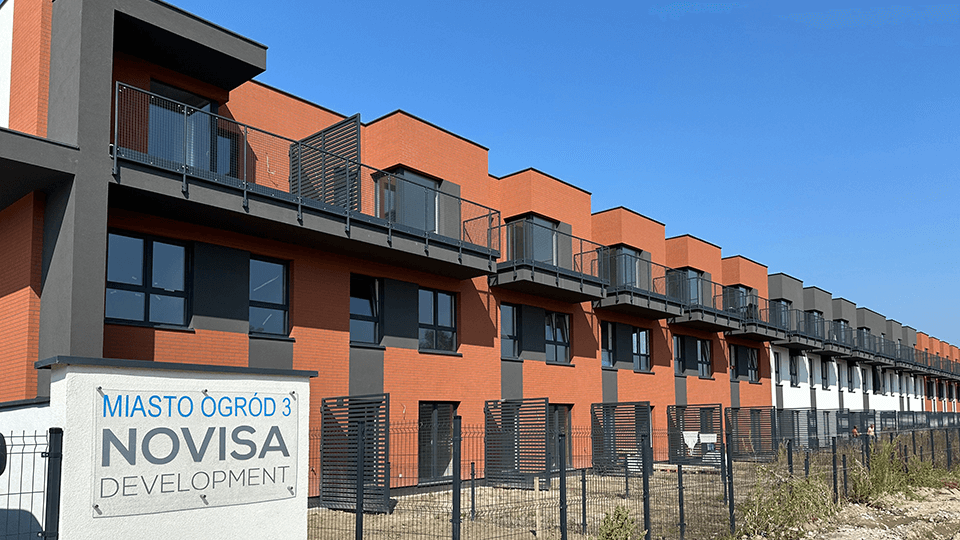
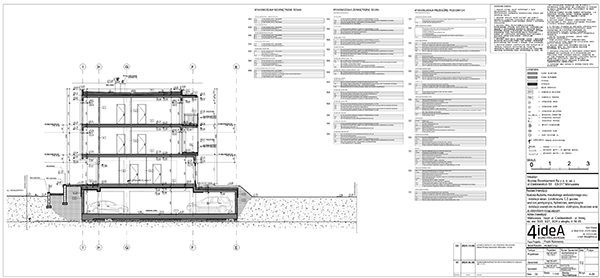
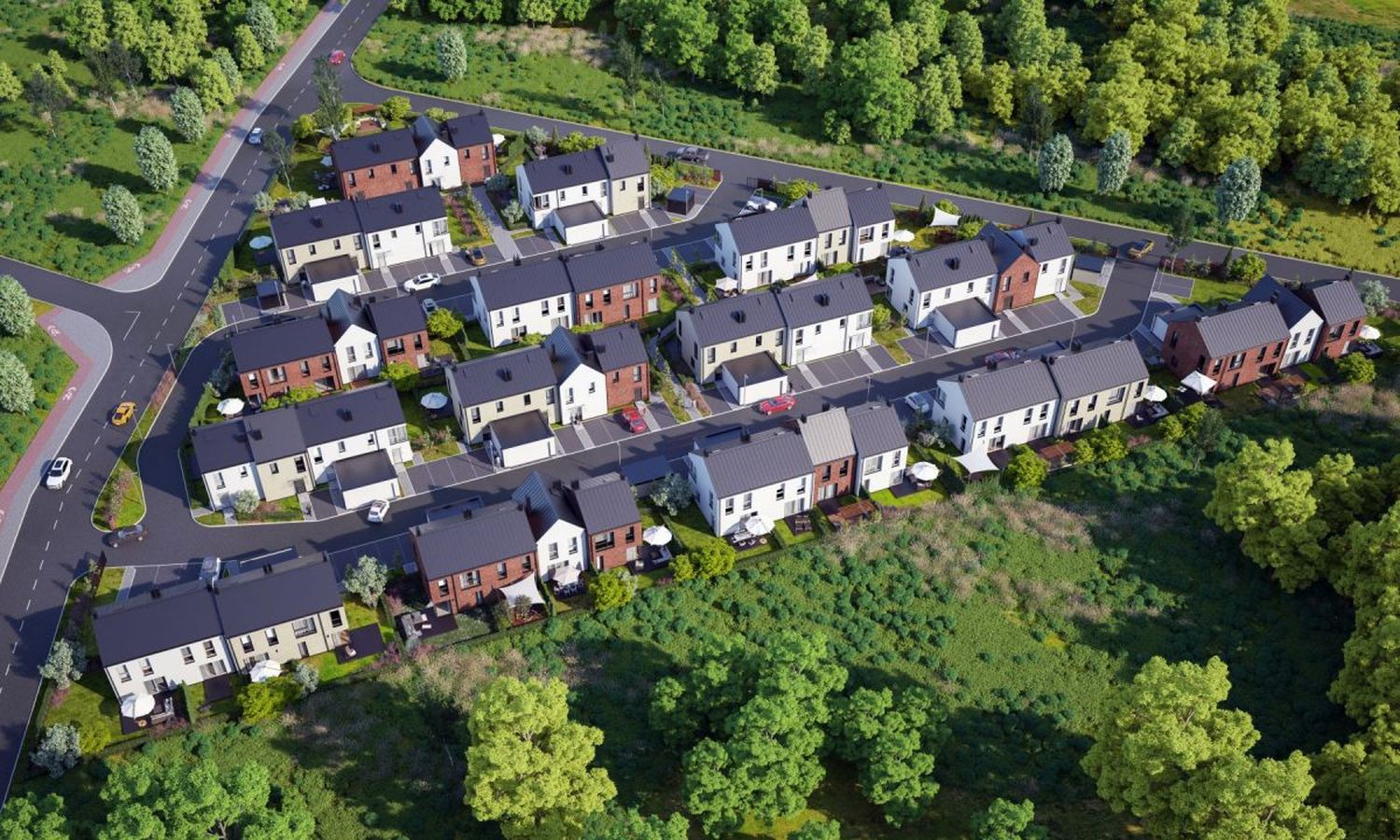
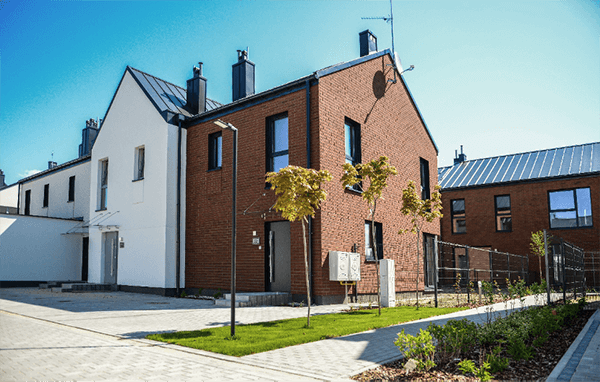
Novisa Development is a Polish real estate development company based in Warsaw, focused on modern and sustainable residential projects. As an investor dedicated to quality and innovation, Novisa constructs contemporary housing—from single-family homes to residential complexes—combining functionality, environmental sustainability, and a high quality of living. In pursuit of greater design efficiency and consistently high standards, Novisa adopted ZWCAD CAD software into its workflow, resulting in a significant boost in team productivity, improved collaboration, and cost optimization. In this article, we will present Novisa’s real-world experience with ZWCAD, highlight the features that proved most valuable to their team, and examine how this solution compares to the more widely known AutoCAD platform within the AEC industry.


Design Challenges Before ZWCAD

As Novisa’s project portfolio expanded, the company began facing substantial challenges with its previous CAD environment. For years, Novisa relied on one of the industry-standard CAD solutions (such as AutoCAD), but over time, it no longer met the team’s needs. Licensing costs increased year after year, straining the company’s budget, and the shift to a subscription-based model created additional financial pressure. Simultaneously, there were technical issues: limited file format compatibility complicated the exchange of drawings with external collaborators and partners, many of whom used different CAD tools. For example, the team often encountered cases where DWG files were not universally readable or required conversion, which slowed down collaboration and increased the risk of misinterpreting project documentation.

Another major issue was the lack of accessible technical support for the existing software. When technical glitches or uncertainties arose, the Novisa team had no quick or reliable way to get assistance, which—especially during critical project phases—led to work stoppages. Any software instability or the inability to resolve problems promptly resulted in workflow delays and potential deadline overruns. Such a situation was unsustainable for a company striving for high standards and efficiency.


Searching for a Better Solution and Switching to ZWCAD

Faced with these challenges, Novisa’s management set out to find an alternative CAD solution that could address these issues. The key criteria were: lowering licensing costs, improved compatibility with industry standards (especially DWG format), more reliable technical support, and comprehensive functionality without compromising compared to the previous software. After researching available options, the company selected ZWCAD—a modern CAD platform that stood out as an efficient and cost-effective alternative to traditional CAD programs.

Novisa implemented the switch to ZWCAD gradually, supported by a local distributor. Two major benefits quickly became evident: a lower cost of acquisition and maintenance, and a familiar user interface that enabled a smooth transition from AutoCAD.

Another decisive factor in choosing ZWCAD was its advanced “smart” features, which significantly improve daily workflows and introduce innovation beyond traditional CAD tools. Features such as Smart Mouse (enabling rapid command execution via mouse gestures), Smart Voice (allowing users to add voice notes directly into drawings), and Smart Select (offering precise object selection based on advanced criteria) set ZWCAD apart as a modern, efficient platform. There’s also Smart Plot, for automatic batch plotting with optimized parameters, and Smart Match, which streamlines finding and editing similar elements in complex projects. These functionalities have accelerated documentation creation, reduced repetitive tasks, and improved the standardization of drawings. For the Novisa team, these “smart” options were not just useful innovations—they were clear evidence that ZWCAD does not merely copy existing tools, but seeks to enhance them. This was a key reason why the company chose ZWCAD over competing solutions.

Unlike many competitors that only offer subscription-based licensing, ZWCAD provides the option of a perpetual license—meaning the company can make a one-time software investment and use it without ongoing annual renewal fees. This approach drastically reduced Novisa’s operational costs related to CAD, freeing up resources that could be redirected toward project development and improving construction quality. At the same time, ZWCAD’s user interface is highly similar to AutoCAD’s, with nearly identical commands and tool organization, so architects and engineers did not need extensive retraining, and were able to continue working at nearly the same pace as before. As the company highlights, the transition was smooth: “The interface, which is similar to other CAD tools, makes the transition easier for users,” so the entire team quickly adopted the new software in their daily operations.

Another crucial factor was the availability of local support, the kind offered by PLM Dynamics at the local, regional, and even international level, as the official ZWCAD representative for the region. Novisa now has a reliable resource for all issues—from assistance with installation and data migration to prompt technical support in their native language whenever a problem arises. Having access to local-time, local-language support is a major advantage they did not have before, eliminating prolonged work interruptions. With expert assistance throughout the implementation process, the team was able to focus immediately on their projects, knowing there was a technical support team ready to respond.

ZWCAD in Practice: A Tool for the Entire Design Team

With the implementation of ZWCAD, Novisa gained a universal CAD tool that is utilized by their entire design team—from architects and civil engineers, to technicians, interior designers, and quantity surveyors. Each discipline found relevant features within ZWCAD to support their unique workflows, resulting in a streamlined and accelerated overall design process.

Architects at Novisa now use ZWCAD for developing and editing primary architectural plans. The basic 2D drawing tools for walls, doors, windows, and rooms operate exactly as they do in AutoCAD, offering complete control over line styles, dimensions, and hatches. They particularly highlight the advanced layer management—having the ability to organize various types of information (e.g., architecture, structure, MEP) on separate layers has greatly simplified working with complex drawings. ZWCAD allows precise control over layer display, locking, coloring, and filtering, which enhances drawing clarity and reduces errors on large-scale plans. This level of layer control helps architects communicate their concepts clearly, since each layer (e.g., walls, furniture, dimensioning) can have a defined line weight and color on printed plans, making drawings more readable for contractors and clients.

Civil engineers (structural) rely on ZWCAD for creating structural drawings and technical documentation for installations. Thanks to ZWCAD’s native support for XREF (external reference) mechanisms, the architectural building model can be inserted as a background for developing structural reinforcements or installation layouts, without the risk of data loss when exchanging files with architectural firms. Full compatibility with the DWG format ensures that all drawing elements and data are preserved and transferred without any need for conversion or loss when opened on other computers or in other programs. This means structural designers can share reinforcement drawings with inspectors or prefab factories in DWG format, confident that all layers, dimensions, and symbols will be displayed correctly, whether the recipient is using ZWCAD or AutoCAD. ZWCAD also includes advanced 3D tools that structural engineers can use for visualizing spatial models—such as 3D isometric views of steel structures—making it easier to check element fit and communicate structural solutions with architects.

Interior designers and tenant change specialists also use ZWCAD to efficiently develop interior layouts and adapt apartments to meet the individual needs of buyers. They benefit from block libraries they have built up over time—containing furniture symbols, sanitary fixtures, kitchen units, and various layout templates. All these blocks are seamlessly applicable in ZWCAD; the team simply transferred their existing DWG libraries and continued using them without compatibility issues. The ability to use existing block libraries saved them time, as there was no need to redraw standard elements—they could simply insert them as ready-made objects from their catalog. Additionally, ZWCAD supports both Dynamic Blocks and its proprietary advanced FlexiBlock feature for parametric blocks, meaning the team could further optimize their block libraries so a single block can change shape and size as needed, rather than creating multiple versions of the same element. For example, a single kitchen unit block can be stretched or mirrored to fit different kitchen layouts, with no need to create new blocks for each dimension.

MEP designers (electrical, plumbing, HVAC) utilize ZWCAD for 2D wiring and piping diagrams, as well as for representing installation elements on architectural drawings. Besides layer management, precise dimensioning and the creation of equipment/material schedules are critical for their work. ZWCAD offers familiar dimensioning and hatching tools, but also dynamic tables that automatically populate with data from the drawing (e.g., equipment lists, room areas, etc.). By using the Data Extraction feature, they can extract quantities of installation materials directly from the drawing into a table, reducing manual entry and minimizing errors. Furthermore, the ability to import PDF or DGN underlays enables the integration of projects from partners working in different software (e.g., DGN files from MicroStation) as backgrounds, further expanding collaboration possibilities.

Consultants and cost engineers (responsible for bills of quantities and cost estimates) are also involved in using ZWCAD. For them, it is essential to quickly and accurately obtain areas, lengths, and volumes from technical drawings. ZWCAD facilitates this with tools like Area Table, which automatically sums up the areas of selected polygons and generates tables, as well as precise snapping to drawing elements for measuring lengths and counting objects (e.g., number of light fixtures, cable lengths). Thanks to complete DWG compatibility, cost analysts can open projects received from external designers, extract the required dimensions and quantities, and produce accurate bills of quantities. This results in estimates that are fully aligned with the drawings, providing the investor (Novisa) with better cost control and fewer surprises during construction.

As we can see, ZWCAD has established itself as the central tool uniting the work of multiple disciplines within the Novisa team. Everyone uses a single platform, which simplifies internal communication—there is no need to convert files between different programs or worry about missing elements during file transfers. Each team member works with the same CAD standards built into ZWCAD (layers, dimension styles, hatches, blocks), ensuring consistency across all project documentation. This unification has minimized errors, as everyone is “on the same page” regarding drawing versions and information display.

Key ZWCAD Features That Provided Competitive Advantage

DWG Compatibility and Industry Standards:
ZWCAD uses native DWG format as its primary file type, meaning all drawings are 100% compatible with AutoCAD’s DWG standard. This was a crucial point for Novisa, as it eliminated previous issues with opening or exporting files. All drawing elements layers, blocks, fonts, dimension styles are fully preserved and accurately displayed for anyone reviewing project documentation, without the need for any conversion. Exchanging and reusing drawings has become easier than ever; legacy AutoCAD drawings were opened directly in ZWCAD, while new plans can be safely shared with partners using other CAD tools. In short, ZWCAD is fully compatible with the DWG/DXF standard, which is a foundation for efficient collaboration within the construction industry.

Stability and Speed with Large Files:
It quickly became apparent that ZWCAD offers a high level of stability and performance, even when the team works with extremely complex and large drawings. Major architectural projects at Novisa, such as residential neighborhoods with dozens of buildings or multi-story developments with hundreds of apartments—often result in DWG files sized in the tens of megabytes. Previously, such files would slow down computers or even crash the program. In contrast, ZWCAD demonstrated exceptional stability when handling detailed drawings, technical specifications, and complex elements. Team members noted that delays and unexpected application crashes, common with the previous software, were no longer an issue. The software launches quickly, and drawings open much faster than before. According to the local distributor, ZWCAD is optimized for efficient loading of large files and rapid graphic rendering, thanks to improved algorithms and optimized memory usage. In practice, this means designers can smoothly zoom, pan, and edit even the most complex drawings without lag. This seamless workflow directly impacts productivity by minimizing wait times and allowing users to focus on design work rather than system performance concerns. The speed and stability enabled the team to maintain a high working tempo without fear of interruptions, which positively impacted both project deadlines and quality control more time could be spent on reviewing projects, as less was wasted troubleshooting the software.

Full 2D/3D CAD Functionality:
One of the main concerns when switching from the well-known AutoCAD environment was whether the new software would provide all the necessary features. Experience has shown that ZWCAD not only met but exceeded these expectations. All the essential tools that designers rely on are present: from basic 2D commands for drawing lines, polylines, curves, and dimensioning, to advanced features such as complex hatching, tables, and even 3D modeling of basic shapes and terrains. The tool library in ZWCAD covers the entire 2D and 3D design workflow, enabling professionals to complete all tasks within a single software environment. ZWCAD also includes a Design Center as a central hub for managing drawing resources (blocks, styles, layers) similar to AutoCAD, facilitating the reuse of existing resources. The tool palette and ribbon can be configured to closely resemble the AutoCAD interface, creating a familiar working environment. In addition, ZWCAD receives ongoing upgrades: in versions 2024–2026, smart features such as Smart Mouse, Smart Voice commands, automatic recognition of similar objects via Smart Select, and others have been introduced to further accelerate workflows—yet use of these advanced tools remains optional. The core working paradigm remains the same as traditional CAD, which is particularly valued by more conservative users.

It’s important to emphasize that by transitioning to ZWCAD, Novisa did not lose any critical functionality that the team was accustomed to in AutoCAD. All professional CAD tools they relied on remain available. In fact, they gained some new capabilities: for example, parametric design (object constraints) allows, say, a floor plan layout to adjust automatically to changes in room dimensions, or the integrated Raster-to-Vector tool for automatic vectorization of scanned drawings, which saves time when digitizing old plans. ZWCAD has also introduced IFC format support, so even though it may not be a daily need for Novisa, it means they can import BIM building models and extract 2D documentation as needed—a valuable bridge between classical CAD and BIM environments.

Customizable User Interface:
Another benefit highlighted by the team is the high adaptability of the ZWCAD working environment. Every engineer or designer can tailor the toolbars to their own preferences whether they favor classic drop-down menus and toolbars, or the modern ribbon interface. ZWCAD offers both. Workspace personalization goes even further: users can define custom keyboard shortcuts, organize multiple drawing tabs for working on several projects simultaneously, and even switch the interface to dark mode for eye comfort. At Novisa, for example, some senior team members use the “Classic” mode, which closely resembles older versions of AutoCAD (with traditional toolbars), while younger engineers prefer the ribbon interface. Still, everyone works in the same program and can exchange files without any barriers.

Interface Customization and Workflow Standardization

Interface flexibility also means that the company can standardize the working environment across the entire team. Novisa’s CAD manager leveraged this capability to define profiles and settings that can be imported onto every workstation within the team. As a result, all layers, colors, line weights, and dimension styles are consistently set for the whole team, reducing discrepancies in drawings. It’s also worth mentioning that ZWCAD is fully localized in multiple languages, making it easier for users who prefer working in their native language. In Novisa’s case, they work with the English interface due to the international nature of their team.


Automation and Customization via Scripting

For advanced users, ZWCAD offers robust automation capabilities, matching those of AutoCAD. All existing LISP routines that the Novisa team developed over the years—for streamlining repetitive tasks, checking drawings, and more—could be transferred and used in ZWCAD with minimal adjustments. ZWCAD’s API-level compatibility means it supports AutoLISP, VBA, .NET, and ZRX (the C++ ARX equivalent), so custom tools the team previously used internally continued to function seamlessly. The migration of scripts and custom add-ons was direct and fast, supported by the technical support team, including experts like those at PLM Dynamics. This further demonstrates how smooth the transition was, ensuring preservation of the company’s previous investments in knowledge and tooling.

In addition, ZWCAD has an active community and a wide range of add-ons (plugins) for different industries. Novisa is planning to take advantage of this in the future; for example, they are considering add-ons for automatic section and elevation generation, or GIS software integration for project geolocation—confident that the platform is open and extensible. The openness of the API gives them assurance that ZWCAD can be further customized as their projects grow and require more specialized functionality.


Stability and Efficiency of Design Workflows

In practice, all of these ZWCAD features have led to significant improvements in Novisa’s workflow, with stability and efficiency standing out as key contributions:

No Interruptions or Crashes

ZWCAD’s stability allows designers to rely on the software for long work sessions without fear of sudden crashes in the middle of a task. Previously, there were situations where the application would unexpectedly close due to large files or complex operations, resulting in the loss of unsaved work and the need to redo parts of the project. Such issues are now rare, if not eliminated. This removes a frequent source of frustration and wasted time. ZWCAD efficiently manages memory and system resources, so even average workstations can handle large projects. For Novisa, this meant there was no need for immediate investment in new hardware—ZWCAD ran faster even on existing computers, making the option to purchase additional software licenses, rather than new hardware, a better investment for the company.

Faster Task Execution

In addition to quick drawing opening times, the team notes that many everyday operations are also faster in ZWCAD. For example, commands for copying, moving, or editing objects run smoothly and without delay, even in drawings containing thousands of objects. View regeneration (regen) after major changes is almost instantaneous, meaning there’s no more “waiting for the drawing to update.” Likewise, complex functions like find-and-replace across the entire drawing or hatching large areas are performed efficiently thanks to software optimizations. According to benchmarks by the local distributor, ZWCAD 2023/2024 opens typical DWG files several times faster than comparable AutoCAD versions on the same hardware. Naturally, this saves designers time on a daily basis. When each operation takes noticeably less time, over the course of a project, this adds up to days saved, which can be used for additional checks or developing more design alternatives. The end result is that the Novisa team now produces technical documentation more quickly than before, allowing them to focus on the creative and engineering challenges of the project rather than waiting for the software to catch up.

Fewer Errors and Revisions

Accelerating the workflow would mean little if it came at the expense of accuracy and quality. On the contrary, Novisa observed that switching to ZWCAD did not reduce precision—if anything, built-in features help reduce human error. Dynamic tables and data extraction minimize manual data entry (a frequent source of errors). Additionally, simple yet valuable features—such as reliable Snap options (endpoints, midpoints, orthogonal alignment, etc.) work exactly as in AutoCAD, so drafters can confidently create precise joins and connections between elements. The CAD Standards checker helps identify and correct any deviations in styles or layers. ZWCAD also offers a Drawing Compare tool, which is useful for reviewing changes between two versions of a plan making it easier to track revisions and reducing the risk of overlooked modifications. All of these tools, combined with automation, have contributed to fewer errors in project documentation, and when errors do occur, they are caught earlier in the process (before reaching the construction site), saving both time and money.

Improved Communication and Collaboration with Contractors

One of Novisa’s primary motivations for upgrading its CAD system was to enhance communication with all project stakeholders from external design firms and reviewers to regulatory authorities and on-site contractors. In construction projects, it is critical that everyone receives timely and accurate information and can read and use project documentation without barriers. In this regard, the transition to ZWCAD brought several concrete improvements:

Standardized Drawing Format:
As highlighted earlier, DWG is the de facto standard in the AEC industry. Novisa now delivers all project documentation in DWG format, making the work much easier for contractors and subcontractors—they can directly open drawings in their own CAD software (many use AutoCAD or compatible viewers) and perform markups or measurements digitally. Previously, partners would sometimes only receive PDF plans or printed documents if there was uncertainty about DWG compatibility. Now, digital data exchange is fully established: for example, a construction company executing works receives from Novisa a complete set of DWG files for architecture, structure, and MEP, which can be integrated into their construction software—or even directly into GPS-guided machinery on site. This minimizes misunderstandings, as everyone works from the same version of the drawings, and updates are easily distributed (Novisa simply sends a new DWG file if a change occurs, rather than printing and distributing new physical plans).

Faster Revisions and Feedback:
Communication between the construction site and the design office has also improved. When a contractor identifies a need for a change on site (for example, adjusting details due to unforeseen conditions), they can now mark up the proposed modification or add comments directly in the DWG and send it back to the Novisa team. Since everyone works in a compatible format, the precision of the drawings is always retained—there is no need to “redraw” hand sketches from the field. ZWCAD includes features such as Cloud annotations (revision clouds) and change highlights, making it easier for designers to track the revision process and field discussion. Additionally, ZWCAD’s mobile app enables drawing review on phones or tablets, so Novisa engineers can meet with contractors on site, review plans together, and add notes directly to the digital drawing. This mobility and cloud integration have significantly accelerated the communication cycle and reduced misunderstandings.

Easier Coordination with External Partners:
Novisa frequently collaborates with external designers (for example, for specialty systems or interior layout models handed off to a third-party consultant). Thanks to ZWCAD, they can now provide these collaborators with a DWT template file containing all necessary settings (layers, styles), which can be opened in their software and worked on according to Novisa’s standards, then returned as a DWG. Compatibility is mutual—whether the partner uses AutoCAD, MicroStation (via DGN underlays), or ZWCAD itself, data integration is smooth. This has allowed Novisa to improve collaboration: there are no longer missing details due to unrecognized objects or fonts; everything adheres to common standards.

Better Client Presentations:
While the focus of this text is on technical aspects, it’s worth noting that ZWCAD also helps Novisa in communication with end clients apartment buyers. The ability to quickly generate 3D views or isometric perspectives of a building (for example, the Flatshot function for creating 2D projections from 3D models) has enabled the team to easily prepare supplementary illustrations for marketing materials or for clients who want a better visualization. Additionally, printing and exporting to PDF from ZWCAD is very reliable. PDF plans retain accurate scaling and line clarity, which is critical when sending offers and documentation outside the company. All of this contributes to a more professional image and greater client trust, as clients receive high-quality, clear documentation.


ZWCAD vs. AutoCAD: A Professional Perspective

For AEC professionals considering alternatives to AutoCAD, Novisa’s experience provides valuable insights. ZWCAD has proven to be a viable replacement for AutoCAD in virtually every aspect of standard CAD work, and in some cases, has even exceeded expectations. Here is a summary of the key features, as experienced by the Novisa team:

Functionality and Tools:
In terms of functionality, ZWCAD is on par with AutoCAD. All standard commands and tools are present (lines, polylines, circles, dimensioning, layers, blocks, external references, layout sheets, printing, basic 3D modeling). As the developer states, “ZWCAD is built with all the features you rely on to get your work done,” including advanced features like Design Center, tool palettes, file comparison, and more. In practice, Novisa has not encountered a single building design task they could not complete in ZWCAD as they would in AutoCAD. They have even gained access to additional smart tools that are not included in AutoCAD’s base version (such as the Smart command series mentioned earlier). For those who use specialized applications (e.g., surveying or mechanical plugins), ZWCAD offers a broad ecosystem of supported apps and development partners, meaning there are likely equivalents for AutoCAD Civil 3D or Mechanical modules through add-ons.

User Interface and Learning Curve

ZWCAD is intentionally designed to resemble AutoCAD, making the transition as easy as possible. The ribbon interface, command line, and even many shortcuts are identical. As a result, the learning curve is minimal—AutoCAD users can begin working in ZWCAD immediately, with no additional training required. This was confirmed at Novisa: after a brief familiarization, team productivity quickly returned to previous levels, and soon even surpassed them thanks to ZWCAD’s unique enhancements. ZWCAD also supports importing settings from AutoCAD (such as color schemes, linetype definitions, etc.)—the migration tool allows users to fully adapt their environment to established AutoCAD habits. In short, if you know how to use AutoCAD, you’ll know how to use ZWCAD, with only a very short adjustment period.


File Compatibility

Both programs use the DWG format, so files are interchangeable without any loss of data. Novisa seamlessly exchanges DWG files with external partners who use AutoCAD. ZWCAD reads and saves DWG files in a way that the recipient notices no difference. Even the structure of layouts, model space/paper space, and viewports is completely the same. Besides DWG, ZWCAD supports other formats like DXF, DWT (template files), and DWF/DWFX (drawing publication files) just like AutoCAD. Where ZWCAD goes further for practical users is the built-in support for opening multiple drawings in separate windows (multi-instance, or “floating drawing windows”), which makes it easier to work across dual monitors a feature only recently introduced in AutoCAD. ZWCAD also has integrated handling for PDF and DGN underlays, which is extremely useful in construction for collaboration with BIM and civil engineering designers.


Performance and Hardware Requirements

One of the main issues with newer AutoCAD versions is their ever-increasing hardware demands. ZWCAD is notably lighter both in installation size and RAM usage. According to ZWSOFT, ZWCAD is optimized to run smoothly even on average computers, with no need for the latest, expensive hardware. Novisa experienced this firsthand: on the same workstations where AutoCAD was previously installed, ZWCAD runs faster and more reliably, and some older machines could remain in use instead of being retired. For companies looking to equip a larger number of workstations with CAD software, this means a lower investment in hardware for the same output. As previously mentioned, ZWCAD also loads large files much faster. In some independent comparisons, ZWCAD reportedly opens certain large drawings up to several times faster than AutoCAD in specific scenarios, which is impressive and can be crucial for daily work with large-scale projects.

Pricing and Licensing

Perhaps the most tangible difference for companies is the financial aspect. AutoCAD has switched exclusively to a yearly subscription model, which, for a team like Novisa’s, means ongoing expenses that quickly surpass the initial cost of a perpetual license. In contrast, ZWCAD offers flexible licensing models: you can purchase a permanent license and use the software for years (with optional maintenance for upgrades), or choose an annual rental license the choice is yours. For Novisa, this translated into a drastically lower cost of ownership with zero loss of functionality; they get the same work done for less, directly benefiting the company’s bottom line. As shown in a recent licensing cost comparison published by the official distributor, in a typical two-year scenario for two licenses, the cost for AutoCAD can be up to three times higher than for equivalent ZWCAD licenses. Even when factoring in maintenance for ZWCAD, the difference remains significant. This is crucial for company managers: with ZWCAD, real budget savings are possible, while the team remains equipped with all the essential tools for their work.

Support and Community

While Autodesk, as a global corporation, provides user support, for many small and mid-sized firms that support is often remote and impersonal. With ZWCAD, companies benefit from local support through PLM Dynamics—this means direct contact with experts in your language, faster issue resolution, and access to consulting on best practices for using the software. This kind of support is invaluable, as it can save significant time when challenges arise. Furthermore, the global ZWCAD user community is expanding rapidly over 1.4 million users worldwide, including major corporations (such as Ericsson, Honeywell, LG, etc., according to official data). This means a wealth of shared experience on forums, numerous tutorials, and resources available online, so users are never isolated. For professionals, it’s vital that a software platform has a healthy ecosystem, and in recent years ZWCAD has demonstrated just that, evolving from an “alternative” solution to a mainstream tool used by professionals globally.


Conclusion

Taking all of the above into account, it is clear that ZWCAD stands as a fully-fledged alternative to AutoCAD for most applications in architectural and construction practice, while offering significant cost savings and certain distinct advantages, such as better optimization. Of course, every software has its nuances the user interface is not identical in every detail, and some may notice slight differences in the behavior of certain commands. However, Novisa’s experience shows that a team of over 20 designers successfully transitioned to ZWCAD without difficulty, accomplishing all tasks at the same quality as before. This is strong evidence that ZWCAD has reached a maturity level where it can replace AutoCAD in professional use—an important consideration for any technical audience in the AEC sector.

Real-World Experience as the Best Recommendation

Novisa’s experience offers valuable insight into the advantages a quality CAD alternative can bring to architectural and construction teams. By implementing ZWCAD, Novisa resolved specific challenges that many companies face: they reduced software costs, eliminated file compatibility barriers, accelerated work on large projects, and secured better support for their team. What makes this example particularly relevant is that the results are not just theoretical, but measurable in practice: projects are completed faster, the team spends more time on the creative aspects of their work instead of struggling with software, and collaboration with external partners is seamless. Errors have been reduced, communication is more efficient, and the quality of the final documentation remains high—all while significantly lowering software licensing costs compared to previous solutions.

It is important to emphasize that this text should not be viewed as an advertisement, but rather as an analysis of a software solution based on actual user experience. In an era where CAD tools are critical to project success, it is worthwhile to explore alternatives and find the optimal balance between cost and performance. ZWCAD has emerged as just such a solution a modern CAD platform that adheres to industry standards, introduces meaningful innovations, and maintains affordability. For many companies in the AEC sector, this represents an opportunity to refresh their design processes and free up resources for what truly matters: improving the quality of design and construction.


If you are interested in learning more about ZWCAD software or want to experience how it works in practice, we recommend contacting PLM Dynamics, the official distributor and implementation partner for ZWCAD solutions in our region. As qualified CAD/PLM experts, we can provide you with detailed information, software demonstrations, or a 30-day trial version, as well as consulting on migration from existing solutions and team training. Novisa has already begun its journey toward more efficient design with the help of ZWCAD and their local distributor and implementation partner now it’s up to you to assess whether taking a similar step could benefit your organization. For any questions or professional consultation, PLM Dynamics is at your service. Take the opportunity to upgrade your business with the support of a local team and a proven software solution.

As real-world experience demonstrates, the right tool can make a significant difference. In Novisa’s case, ZWCAD proved to be exactly that kind of tool—enabling their professional team to work faster, more economically, and with greater confidence, which is the ultimate goal of any project in architecture, construction, and related fields. If you are looking to empower your design processes, this case study can serve as a guide toward a potential solution. Contact PLM Dynamics and see firsthand what ZWCAD can offer your team. In the dynamic AEC environment, staying open to new tools and technologies can provide a true competitive edge and Novisa’s example shows that such a decision can absolutely pay off.

Contact for more information:
PLM Dynamics – ZWCAD (consulting, demo presentations, and implementation support).